.png?width=161&height=72&name=Logo%20light%20tr%20(1).png)
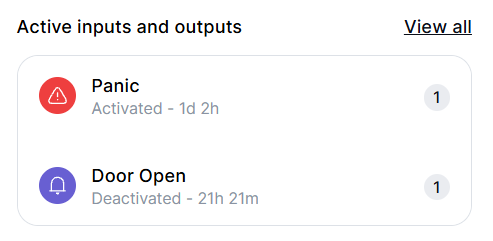
Depending on the unit and its configuration, this section can show:
- Icon: A visual representation of the input or output.
- Name: The name or label of the signal or connected equipment.
- Activation information: Where available, shows additional information such as the number of times an input was activated during the day.
Examples can include ignition, panic buttons, door sensors, auxiliary equipment, and other configured inputs and outputs.
Tip: Use Active Inputs and Outputs for a quick status check. For more detailed telemetry or historical information, use the Telematics tab.