.png?width=161&height=72&name=Logo%20light%20tr%20(1).png)
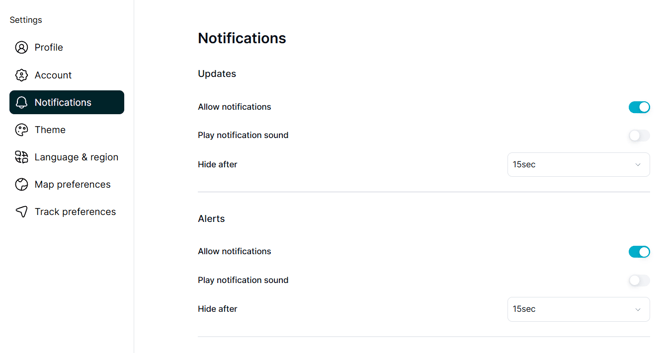
The Notifications settings allow you to manage how notifications and alerts are shown to you.
To access these settings, go to Settings > Notifications.
Alerts and Updates
The platform uses two types of notifications: Alerts and Updates.
Alerts
Alerts are real-time notifications about events that may require your attention or action.
Alerts are associated with features such as:
- The Alerts bell icon.
- The number of unread alerts.
- Alert pop-up banners.
- Reviewing new and previous alerts.
Alerts are designed to keep you informed about important events as they happen.
Updates
Updates are messages that do not usually require immediate action.
These can include:
- Support ticket updates.
- Broadcast announcements.
- Other general platform messages.
Updates are available separately from real-time alerts, making it easier to distinguish important events from general information.
Tip: Use Alerts for events that may need immediate attention. Check Updates for general messages and information that does not require an immediate response.