.png?width=161&height=72&name=Logo%20light%20tr%20(1).png)
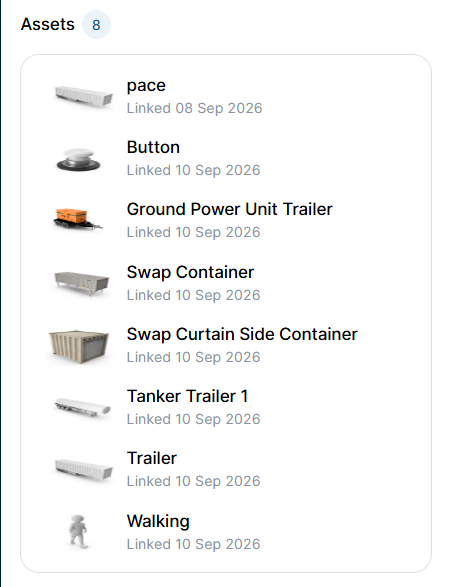
When the Assets section appears
The Assets section only appears when the unit has one or more linked assets.
How the assets are shown:
- The section is collapsed by default.
- A count badge next to Assets shows how many assets are currently linked to the unit.
- Select the chevron next to Assets to expand or collapse the section.
View linked asset information
Depending on the asset and its configuration, the following information can be displayed:
|
Information |
Description |
|---|---|
|
Asset icon |
The configured icon used to identify the asset type, such as a trailer or container. |
|
Asset name |
The configured name or label of the asset. |
|
Link start time |
The date and time when the asset was linked to the unit. |
Note: If the Assets section is not visible, the unit does not currently have any linked assets.
Tip: Linked asset rows are currently display-only. Selecting an individual asset from this section does not open additional asset details.