.png?width=161&height=72&name=Logo%20light%20tr%20(1).png)
Use Find by Route to search for a predefined route and display it on the map. This helps you identify units that are operating on or near the selected route.
How to find a Route
- How to find a RouteClick Track to open the Tracking page.
- In the top-right corner of the map, click Find.
- Select Route.
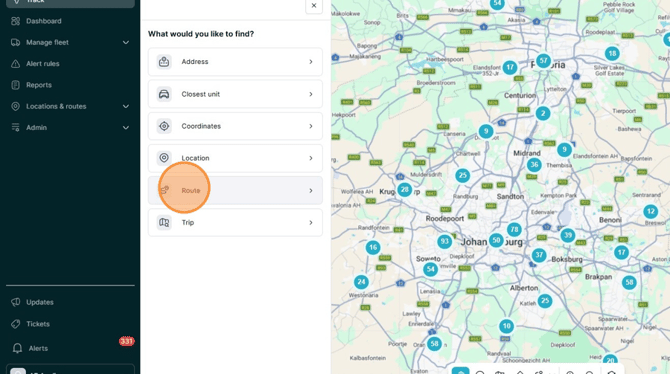
- Enter the name of the predefined route in the search bar.
- Select the route group containing the route you are looking for.
- Select the required route from the search results.
.png?width=670&height=374&name=image-20260619-142223%20(1).png)
- The selected route is displayed on the map.
- Use the map to identify units that are on or near the selected route.
- Select a unit on the map to view more information about it.
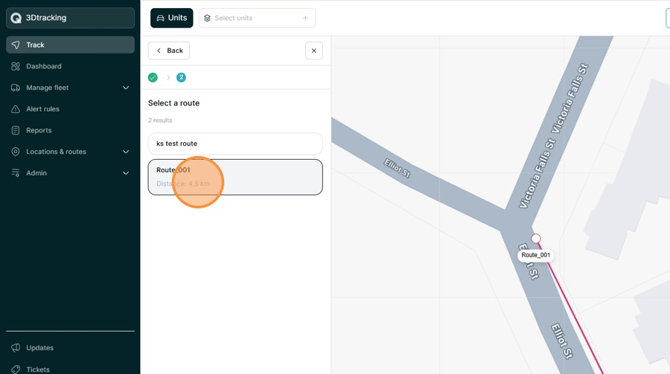
Tip: Only predefined routes that you have access to will appear in the search results.