.png?width=161&height=72&name=Logo%20light%20tr%20(1).png)
Find is a search tool on the Tracking page. It helps you quickly find units, places, routes, and trips on the map.
You can use Find when you know what you are looking for a unit but do not want to search for it manually on the map.
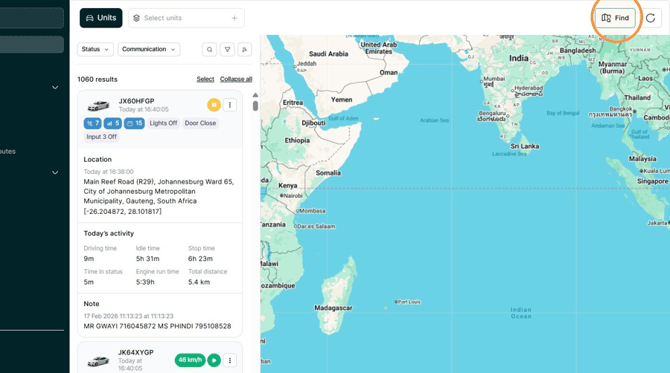
Depending on what you want to find, you can search by Address, Closest unit, Coordinates, Location, Route, or Trip.
Address
Use Address to search for a street address or place.
This can help you find units at or near a specific address and view the area on the map.
Closest unit
Use Closest unit to find the units nearest to a specific place or position.
You can find the closest units to:
- A Point of Interest (POI)
- A No-go zone
- A Geofence
- Another unit
- An address
- Your current location
This is useful when you need to know which units are closest to a specific location.
Coordinates
Use Coordinates to search for a specific position on the map using its latitude and longitude.
This is useful when you have the exact coordinates of a location and want to find units at or near that position.
Location
Use Location to search for a location that has already been added to the system.
You can search for:
- Points of Interest (POIs)
- No-go zones
- Geofences
- Customer locations
This helps you quickly find a saved location and see units at or near that location on the map.
Route
Use Route to search for a predefined route.
This allows you to find the route on the map and see units related to that route.
Trip
Use Trip to search for a specific trip using its unique Trip ID.
Enter the Trip ID to find the trip and view it on the map.
Which Find category should I use?
Choose the category that best matches the information you have:
|
If you have or want to use... |
Select |
|
A street address or place |
Address |
|
A place and want to know which units are nearest to it |
Closest unit |
|
Latitude and longitude |
Coordinates |
|
A saved POI, No-go zone, Geofence, or Customer location |
Location |
|
A predefined route |
Route |
|
A Trip ID |
Trip |
Using the correct category makes it easier to find the information you need on the Tracking map.