.png?width=161&height=72&name=Logo%20light%20tr%20(1).png)
This helps you quickly identify equipment or other assets associated with the unit without leaving the Track page.
Linked assets can include trailers, containers, rubble skips, equipment, or other items tracked using supported technologies such as Bluetooth beacons or tags.
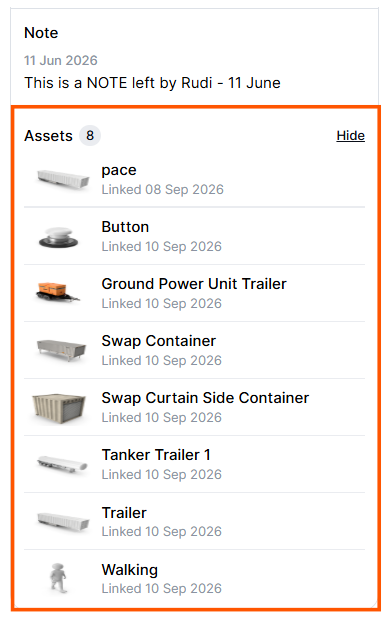
The Assets section only appears on the unit card when the unit has one or more linked assets.
To keep the unit card easy to scan:
- The section is collapsed by default.
- A count badge next to Assets shows how many assets are currently linked to the unit.
- Select the chevron next to Assets to expand or collapse the section.
Depending on the asset and its configuration, the following information can be displayed:
|
Information |
Description |
|---|---|
|
Asset icon |
The configured icon used to identify the asset type, such as a trailer or container. |
|
Asset name |
The configured name or label of the asset. |
|
Status |
A visual indicator showing the asset's current status. |
|
Last known location |
The asset's last reported position or location name. |
|
Link start time |
The date and time when the asset was linked or allocated to the unit. |
Linked asset rows are currently display-only. Selecting an individual asset from this section does not open additional asset details.
Tip: If the Assets section is not visible, the unit does not currently have any linked assets.