.png?width=161&height=72&name=Logo%20light%20tr%20(1).png)
You can upload a profile photo to personalize your Atlas profile.
- Click the Profile menu icon.
- Select Settings.
- Select Profile.
- Click the Edit icon on your profile photo
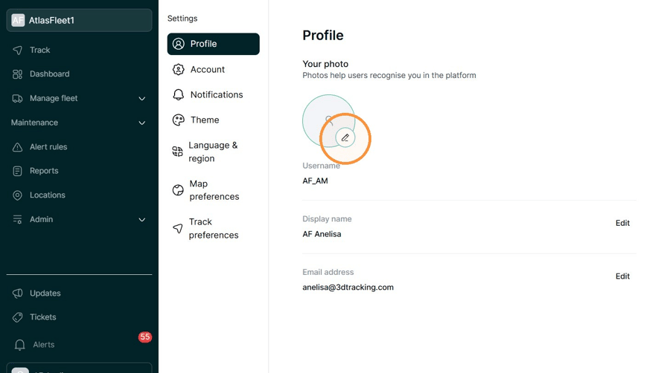
- Click Upload and select the image you want to use.
- Click Save to update your profile photo.
Tip: For the best results, use a clear image where your face or chosen profile image is centered and easy to see.